
Today is your starting point: how much you practise, and how close your recent swings are to your own best shot. Everything here is about you compared with yourself — never a leaderboard or another person.
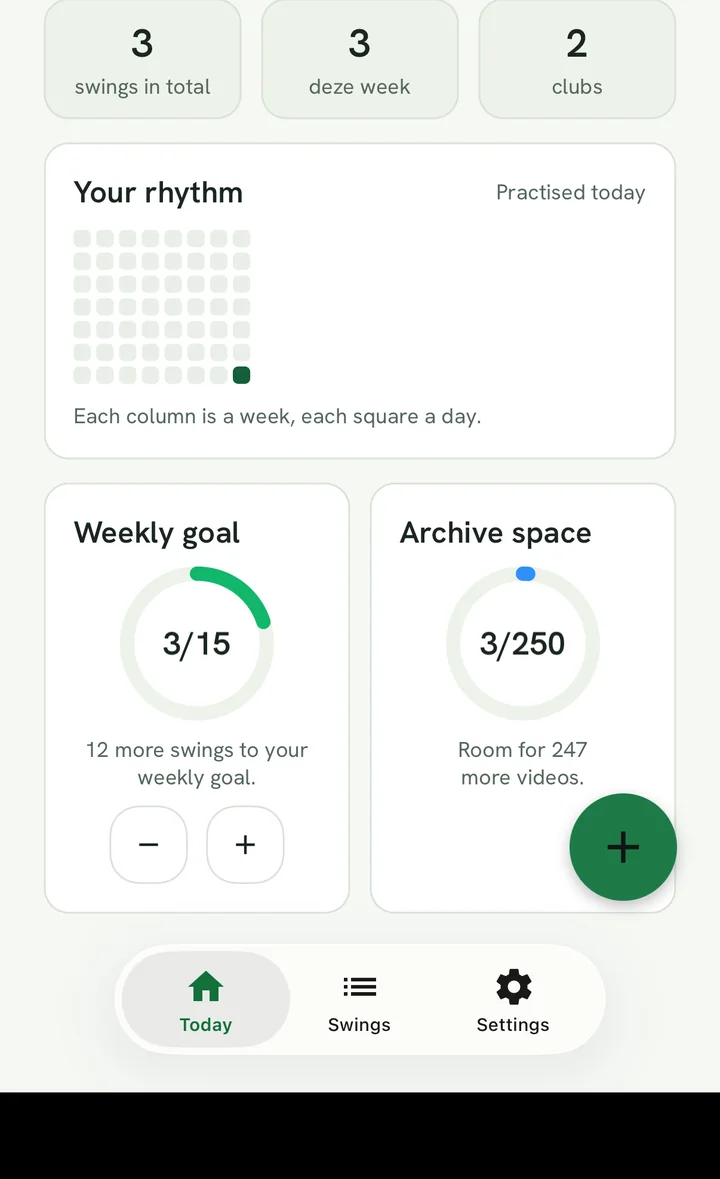
The numbers at the top
- Total swings — everything you've ever saved.
- Swings in a period — the caption says which: this week, past month, past 3 months, past 6 months or past year. The period moves on its own: if this week has fewer than three swings, the app looks back a month, then three months, and so on — until there are enough. That way, if you play once a month, you don't keep seeing "0 this week".
- Clubs — how many different clubs you've made swings with.
The number of days in a row you've recorded is in the card Your rhythm.
Your rhythm
A strip of eight weeks: each column is a week, each block a day. The brighter the block, the more recordings that day. The streak ("days in a row") counts consecutive days with at least one recording; a day without a recording only breaks the streak once it's over.
The cards below
- Weekly goal — your own target per calendar week, with a ring that fills up. Next to it, on a subscription with a video limit, Archive space.
- Consistency per club, the focus point and Closest to your best shot — what your recent swings say compared with your best shot. You only see these cards for one golfer, not for all golfers together.
- How your shots felt — the spread of the outcomes you chose yourself after recording, over the same period as the tile.
- Per golfer — with several golfers: everyone's activity and band, sorted by recency.
- Latest swing per club and My best swings — your latest swing per club, and the way in to your best shots.
At the bottom you see where and when you last recorded; the course name only if that setting is on. With the round button at the bottom right you start a new recording.
Good to know
- Today works with what's on your device or in your browser. Shortly after a recording, a number can therefore lag behind for a moment until processing is done.
- Only regular comparisons count towards the percentages; your best shot itself doesn't count, as it would lift the average.
Today is your starting point: how much you practise, and how close your recent swings are to your own best shot. Everything here is about you compared with yourself — never a leaderboard or another person.
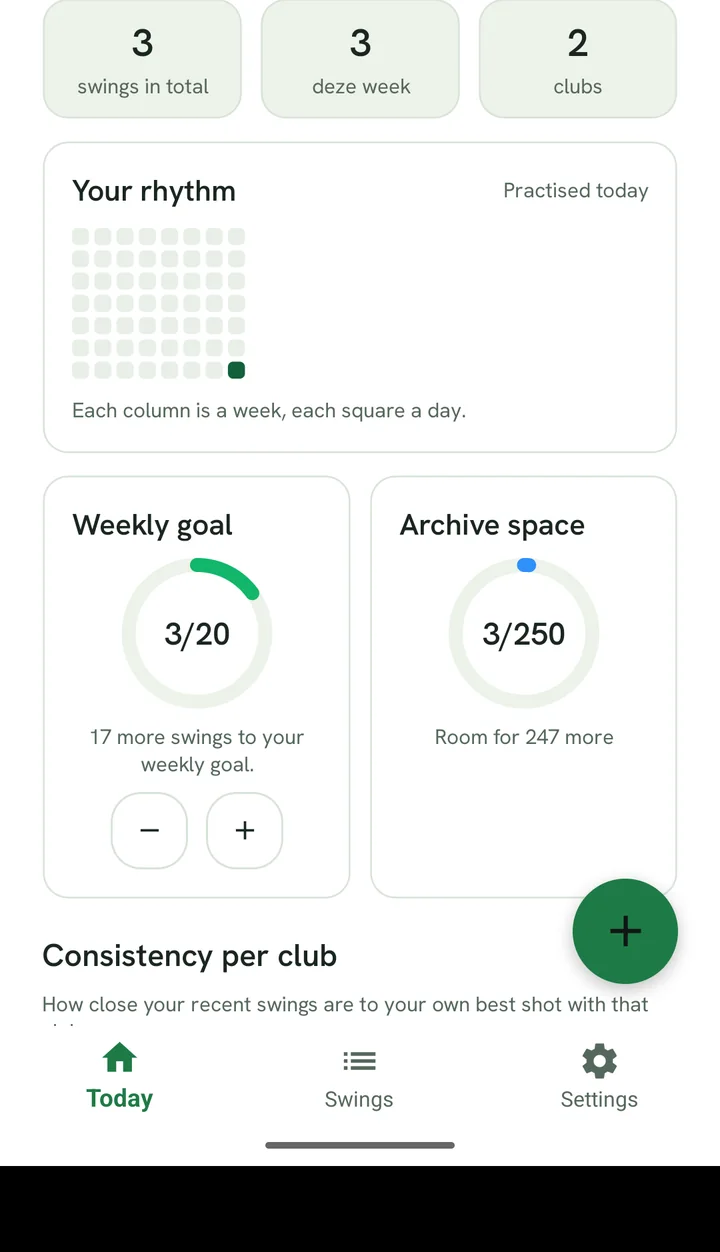
The numbers at the top
- Total swings — everything you've ever saved.
- Swings in a period — the caption says which: this week, past month, past 3 months, past 6 months or past year. The period moves on its own: if this week has fewer than three swings, the app looks back a month, then three months, and so on — until there are enough. That way, if you play once a month, you don't keep seeing "0 this week".
- Clubs — how many different clubs you've made swings with.
The number of days in a row you've recorded is in the card Your rhythm.
Your rhythm
A strip of eight weeks: each column is a week, each block a day. The brighter the block, the more recordings that day. The streak ("days in a row") counts consecutive days with at least one recording; a day without a recording only breaks the streak once it's over.
The cards below
- Weekly goal — your own target per calendar week, with a ring that fills up. Next to it, on a subscription with a video limit, Archive space.
- Consistency per club, the focus point and Closest to your best shot — what your recent swings say compared with your best shot. You only see these cards for one golfer, not for all golfers together.
- How your shots felt — the spread of the outcomes you chose yourself after recording, over the same period as the tile.
- Per golfer — with several golfers: everyone's activity and band, sorted by recency.
- Latest swing per club and My best swings — your latest swing per club, and the way in to your best shots.
At the bottom you see where and when you last recorded; the course name only if that setting is on. With the round button at the bottom right you start a new recording.
Good to know
- Today works with what's on your device or in your browser. Shortly after a recording, a number can therefore lag behind for a moment until processing is done.
- Only regular comparisons count towards the percentages; your best shot itself doesn't count, as it would lift the average.
Today is your starting point: how much you practise, and how close your recent swings are to your own best shot. Everything here is about you compared with yourself — never a leaderboard or another person.
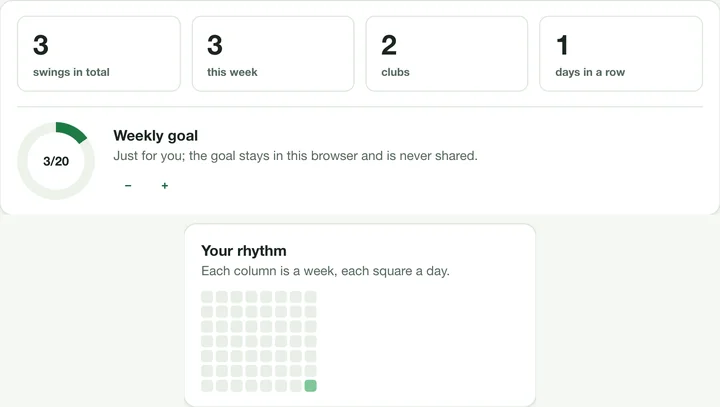
The numbers at the top
- Total swings — everything you've ever saved.
- Swings in a period — the caption says which: this week, past month, past 3 months, past 6 months or past year. The period moves on its own: if this week has fewer than three swings, the app looks back a month, then three months, and so on — until there are enough. That way, if you play once a month, you don't keep seeing "0 this week".
- Clubs — how many different clubs you've made swings with.
The fourth number is the number of days in a row you've recorded.
Your rhythm
A strip of eight weeks: each column is a week, each block a day. The brighter the block, the more recordings that day. The streak ("days in a row") counts consecutive days with at least one recording; a day without a recording only breaks the streak once it's over.
The cards below
- Weekly goal — your own target per calendar week, with a ring that fills up.
- Consistency per club, Point of attention and Closest to your best shot — what your recent swings say compared with your best shot. You only see these cards for one golfer, not for all golfers together.
- How your shots felt — the spread of the outcomes you chose yourself after recording, over the same period as the tile.
- Per golfer — with several golfers: everyone's activity and band, sorted by recency.
- Last recording — where and when you last recorded; the course name only if that setting is on in the app.
Good to know
- Today works with what's on your device or in your browser. Shortly after a recording, a number can therefore lag behind for a moment until processing is done.
- Only regular comparisons count towards the percentages; your best shot itself doesn't count, as it would lift the average.