
Here you watch one swing. If you have chosen a best shot for this club, the player also shows where this swing differs from it.
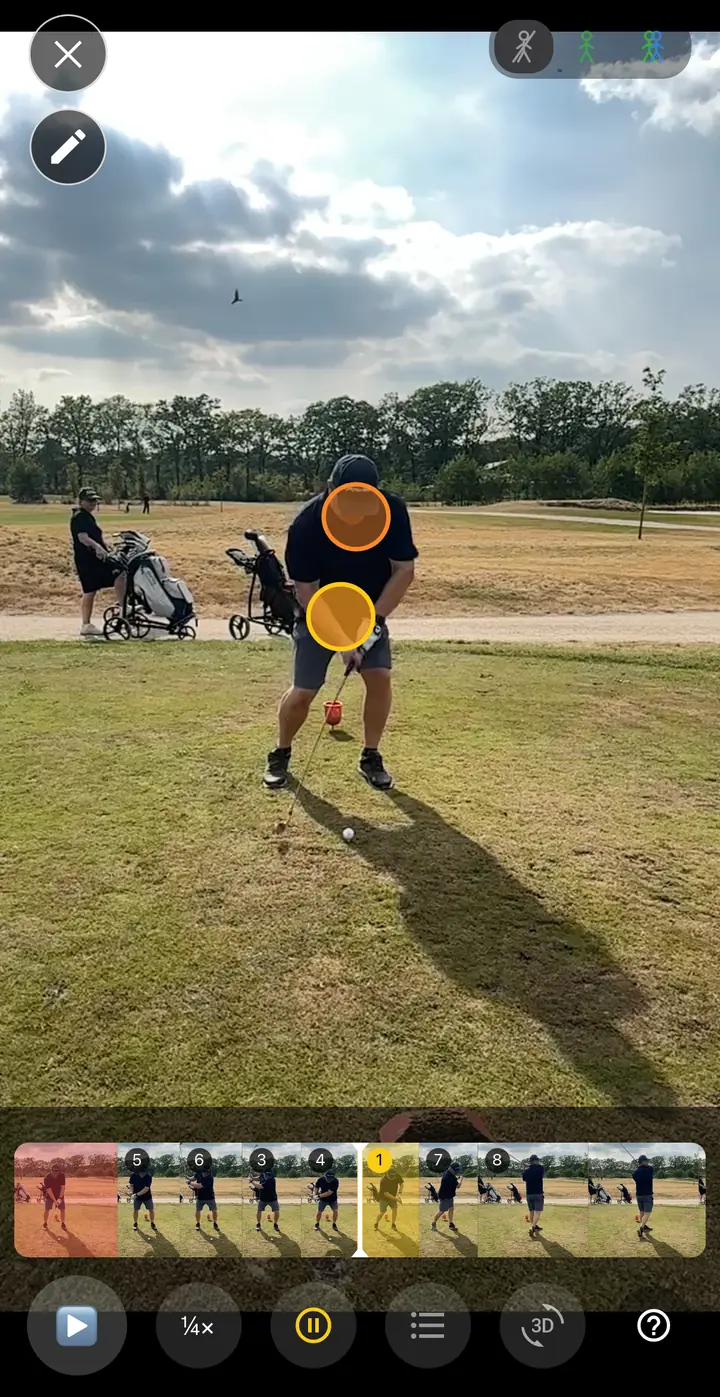
What you see
- The video — the swing itself. The player opens paused at the start of the swing.
- The filmstrip — the whole swing in small frames. Drag across it to go to another moment.
- Coloured blocks in the filmstrip — the steps of the swing you get advice on. Red is the biggest difference from your best shot, yellow the smallest.
- The buttons — play, slow motion, automatic pause and, if your subscription includes them, all advice and 3D.
How to watch a swing
- Start playback. The video stops by itself at the first coloured block.
- Dots appear on the video at the place on your body where the difference is. Choose a dot to read the advice.
- Start again to go to the next coloured block.
At the end a round arrow appears in the middle of the screen. Use it to play the swing again from the beginning.
Use the cross at the top left to close the player.
Good to know
- Without a best shot for this club there is nothing to compare with. You then see a filmstrip without colours and the video simply plays on.
- Shortly after recording, or after you have chosen a different best shot, the comparison may still be on its way. The colours appear as soon as it is ready.
Here you watch one swing. If you have chosen a best shot for this club, the player also shows where this swing differs from it.
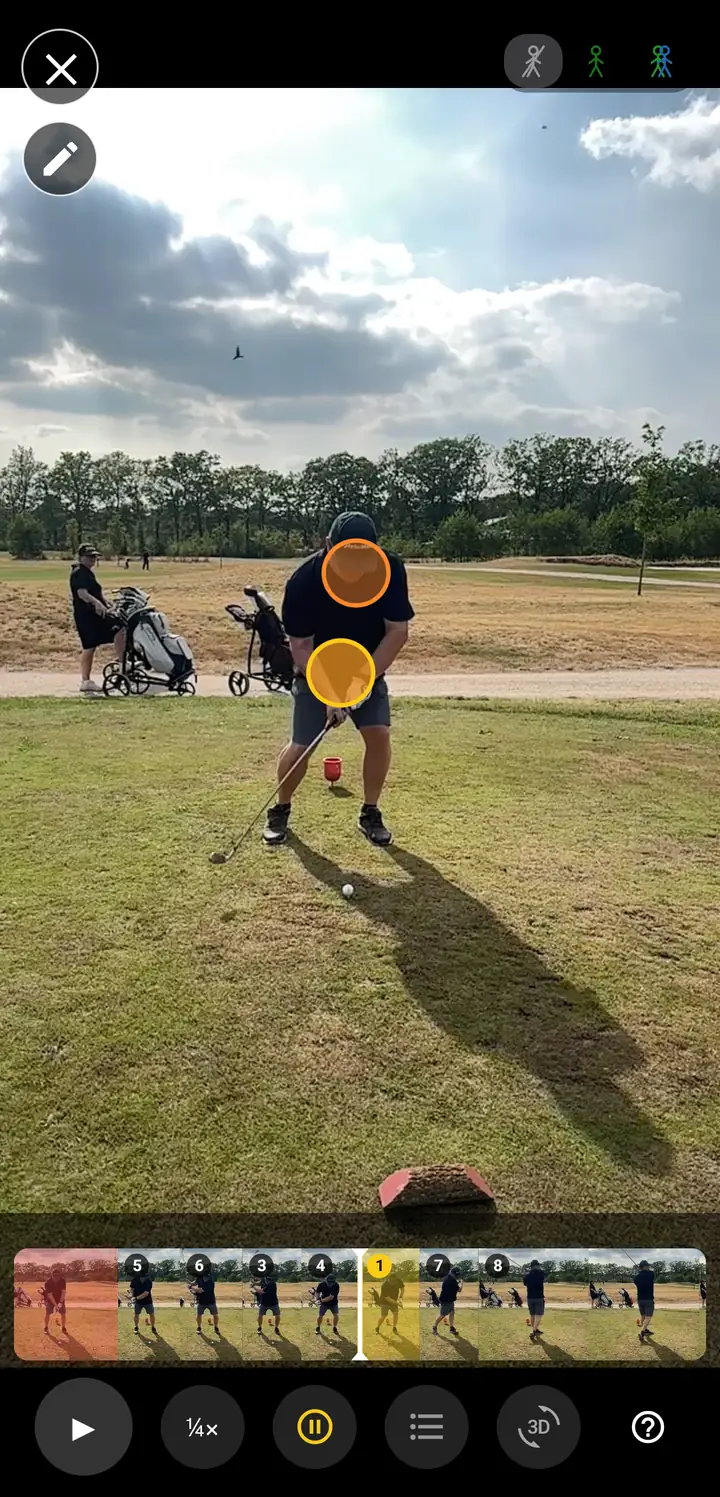
What you see
- The video — the swing itself. The player opens paused at the start of the swing.
- The filmstrip — the whole swing in small frames. Drag across it to go to another moment.
- Coloured blocks in the filmstrip — the steps of the swing you get advice on. Red is the biggest difference from your best shot, yellow the smallest.
- The buttons — play, slow motion, automatic pause and, if your subscription includes them, all advice and 3D.
How to watch a swing
- Start playback. The video stops by itself at the first coloured block.
- Dots appear on the video at the place on your body where the difference is. Choose a dot to read the advice.
- Start again to go to the next coloured block.
At the end a round arrow appears in the middle of the screen. Use it to play the swing again from the beginning.
Use the cross at the top left to close the player.
Good to know
- Without a best shot for this club there is nothing to compare with. You then see a filmstrip without colours and the video simply plays on.
- Shortly after recording, or after you have chosen a different best shot, the comparison may still be on its way. The colours appear as soon as it is ready.
Here you watch one swing. If you have chosen a best shot for this club, the player also shows where this swing differs from it.
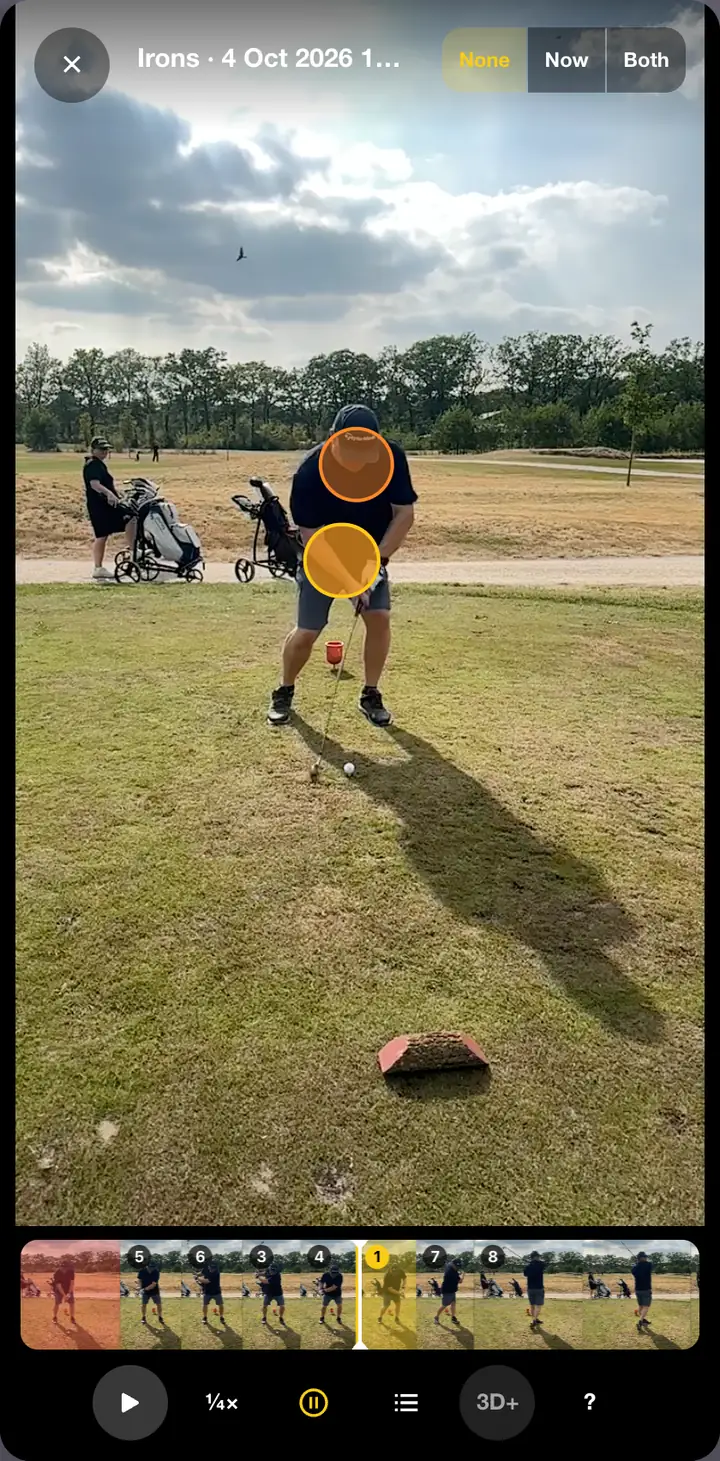
What you see
- The video — the swing itself. The player opens paused at the start of the swing.
- The filmstrip — the whole swing in small frames. Drag across it to go to another moment.
- Coloured blocks in the filmstrip — the steps of the swing you get advice on. Red is the biggest difference from your best shot, yellow the smallest.
- The buttons — play, slow motion, automatic pause and, if your subscription includes them, all advice and 3D.
How to watch a swing
- Start playback. The video stops by itself at the first coloured block.
- Dots appear on the video at the place on your body where the difference is. Choose a dot to read the advice.
- Start again to go to the next coloured block.
At the end a round arrow appears in the middle of the screen. Use it to play the swing again from the beginning.
Use the cross at the top left, the Escape key or a click next to the player to close it.
Good to know
- Without a best shot for this club there is nothing to compare with. You then see a filmstrip without colours and the video simply plays on.
- Shortly after recording, or after you have chosen a different best shot, the comparison may still be on its way. The colours appear as soon as it is ready.